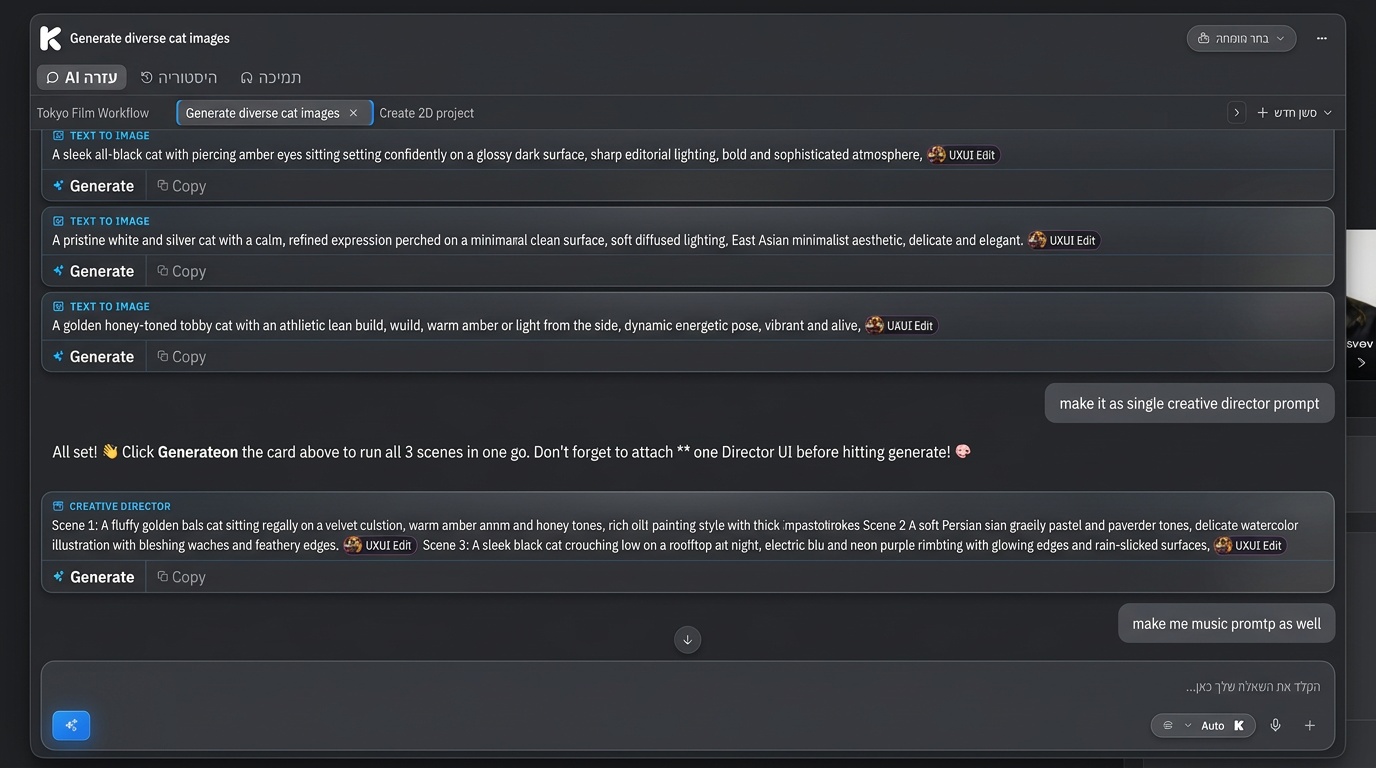
The Kolbo assistant just got a big upgrade. It no longer only answers questions. It takes action inside your tools, remembers your choices, and speaks the language of your creative work. Here is everything that is new.
Instant Image Actions
Ask the assistant to make an image and it does more than describe how. It generates the result and attaches it straight to the right tool, ready for you to keep working.
What this means:
- No copy and paste between chat and your canvas
- The output lands exactly where you need it
- One request, ready to refine immediately
You stay in flow instead of moving files around.
It Keeps Your Selected Model
When you have already picked a model, the assistant respects it. Ask for an image or an edit and it uses the model you chose, not a default.
Your setup stays yours:
- The model you selected is the model it uses
- No surprise switches mid-task
- Consistent results across a session
This keeps your style and quality predictable from prompt to prompt.
It Understands Your Creative References
Kolbo lets you save your characters and looks as reusable references. The assistant now reads them too.
It recognizes:
- @Visual-DNA mentions for your saved characters and identities
- #moodboard mentions for your saved styles and aesthetics
Bring a character or a mood into the conversation by name and the assistant knows exactly what you mean, then applies it to what you are making.
Style Requests in Plain Language
Want something to feel a certain way? Just say it. Ask for anime, 2D, watercolor, or any other look and the assistant shapes the prompt to match.
Examples:
- "Make it anime"
- "Give it a 2D illustrated feel"
- "Turn this into a watercolor"
No prompt engineering required. Describe the vibe and the assistant handles the rest.
Learning Hub Recommendations
When the assistant senses you could learn a feature faster by watching it, it points you to the right lesson. The Learning Hub has guided tutorials, and now the assistant connects your question to the exact one that helps.
Why it helps:
- Get unstuck without searching
- Learn the tool you are already using
- Move from question to mastery in one step
Perfect For
New Users
Get instant results and the right lesson at the right moment, so the platform teaches you as you go.
Power Creators
Reference your saved characters and moodboards by name and let the assistant act inside your tools without breaking your flow.
Visual Storytellers
Describe the style you want in plain words and get prompts shaped to match your vision.
Get Started
The upgraded Prompt Copilot is live in Kolbo.AI right now. Open the chat and ask it to make something.
Use code KOLBO30 for 30% off your first month.