AI video generator
The AI video generator with Seedance, Kling, Veo and Sora in one place.
Turn a prompt, an image or a set of references into video. Kolbo.AI puts the leading video models from ByteDance, Kuaishou, Google, OpenAI and others under one account, so you choose the right model for each shot instead of paying for each one separately.
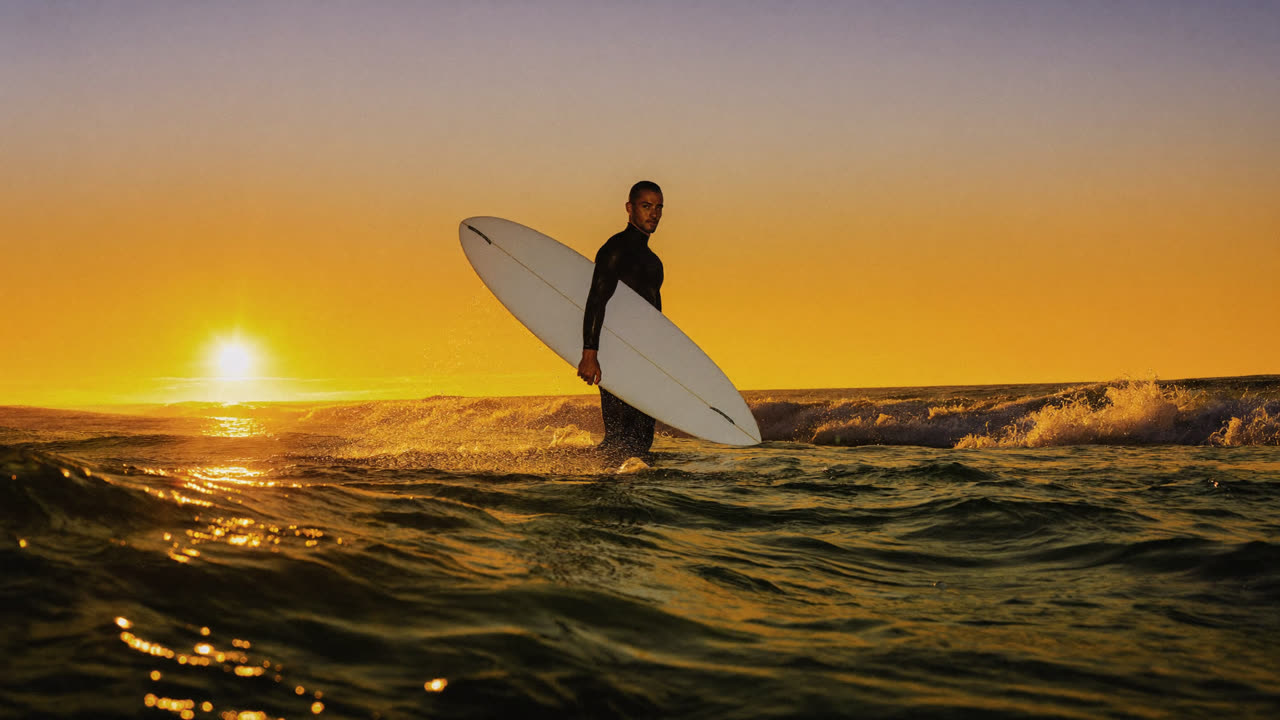
Made on Kolbo.AI with Veo 3.1
Prompt: One continuous 16:9 shot: the surfer wades forward through the shallows toward camera, board under one arm, backlit spray lifting off the water as the low sun flares. Natural gait and water displacement, no cuts, no text.
Which AI video model should you use?
Every model has a strength. This is what each family on Kolbo.AI does best today.
Seedance (ByteDance)
Cinematic action, continuity and shots built from many references. Seedance 2.5 runs up to 30 seconds; Seedance 2.0 reaches 4K with multi-shot.
- Text to video
- Image to video
- Elements references
- 4-30 s
Kling (Kuaishou)
Realistic people and motion, native audio in English and Chinese, multi-shot sequences, motion control and natural-language video editing. Up to 15 seconds and 4K.
- Text to video
- Image to video
- Native audio
- 3-15 s
Veo 3.1 (Google)
Clips with sound generated in sync with the picture: dialogue, effects and ambience. 8-second shots up to 4K, plus a Lite version for shorter, lighter clips.
- Text to video
- Image to video
- Native audio
- 4-8 s
Sora 2 (OpenAI)
Realistic scenes and longer single takes, from 4 to 20 seconds. Sora 2 Pro adds 1080p.
- Text to video
- Image to video
- 4-20 s
Gemini Omni (Google)
Performance and dialogue from any input, with native sound on Gemini Omni Flash 1.1 and up to 4K. Our first choice when a character must speak Hebrew.
- Text to video
- Image to video
- Native audio
- 3-10 s
Wan, MiniMax, LTX and more
Wan 3.0 for clips up to 30 seconds with sound and animated typography, MiniMax H3 for lip sync to your own audio, Hailuo 2.3 for image animation, LTX for up to 2160p, plus Grok Imagine, PixVerse, Luma Ray, Runway, Vidu and others.
- Text to video
- Image to video
- 1-30 s
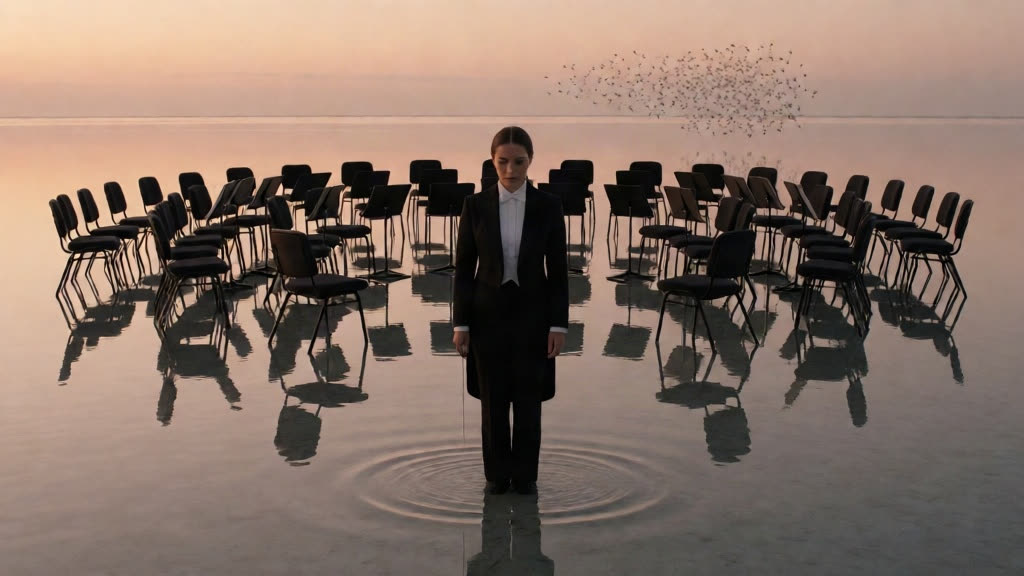
Made on Kolbo.AI with Seedance 2.5
Prompt: Total: 4s / 1 shot / 16:9. The conductor raises her baton once. On the downbeat, concentric rings race across the shallow tidal pool and hundreds of silver fish leap in three perfectly timed arcs behind her, catching warm sunset light. The camera makes one smooth 47° push-in at 4 km/h while her face, black suit, baton, stone causeway, horizon, and reflective water remain stable. Natural water displacement, crisp fish silhouettes, restrained film grain, no writing or logos. Total: 4s / 1 shot / 16:9.
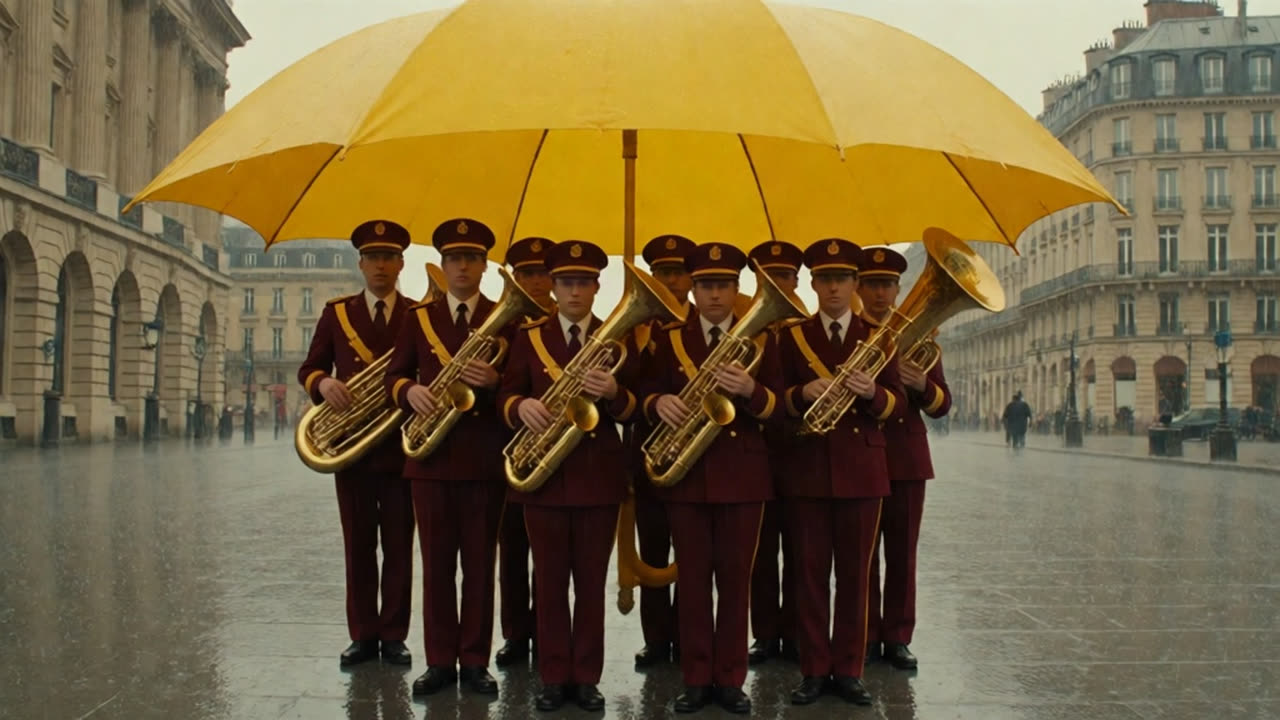
Made on Kolbo.AI with Kling 3.0 Pro
Prompt: Locked camera. The brass band performs one synchronized forward step and stops. Rain falls outside the giant umbrella while the musicians remain dry. Keep faces, hands, instruments and umbrella stable. One continuous shot.
More than a model picker
Every way to start a shot
Text to video, image to video, first and last frame, and Elements, where reference images of a product or character steer the shot. Edit, restyle or extend an existing clip with video-to-video models.
Same character in every clip
Save a character or product once as Visual DNA and reuse it across supported image and video models, so the face and design stay consistent from shot to shot.
Compare without a second subscription
Run the same prompt or image on two models from one credit balance and keep the better take. Not sure where to start? Auto picks a model for you.
Finish in the same workspace
Cut clips in the browser video editor, upscale, remove backgrounds, add music, voiceover and lip sync, then move results into Premiere Pro or DaVinci Resolve with the Kolbo plugins.
How it works
- 01
Pick a mode
Start from a prompt, a still image, a first and last frame, or a set of reference images in Video tools.
- 02
Choose the model and settings
Set duration, resolution, aspect ratio and sound. The credit quote updates with every change, before you generate.
- 03
Generate, compare, finish
Results land in your project. Run the same inputs on another model, then trim, upscale or edit in the browser.
What it costs
Video is billed in credits per generation. The amount depends on the model, duration, resolution and options such as sound, and you see the quote before you generate. Paid subscription credits roll over, up to three monthly allocations, while your plan is active, and eligible paid plans include Unlimited offers on selected models.
Frequently asked questions
What is the best AI video generator?
It depends on the shot. Seedance is our default for cinematic action and multi-reference scenes, Kling for realistic people and motion control, Veo 3.1 for clips with synced sound, and Gemini Omni for Hebrew dialogue. Kolbo.AI lets you use all of them, so you can test the same idea on two models before committing.
Can I try it for free?
Yes. The Free plan includes a small monthly credit allowance so you can explore the workspace. Video costs more credits than images, so regular video work usually needs a paid plan or a credit pack. Purchased packs never expire.
Should I use text to video or image to video?
If you already have the look, start from an image: the model keeps the character, product and composition and only adds motion. Use text to video to explore ideas from nothing, and first and last frame when the shot must end on an exact image.
How long can an AI video be?
Most models generate 4 to 15 seconds per clip. Seedance 2.5 and Wan 3.0 go up to 30 seconds in one generation, and extend tools continue an existing clip. Longer videos are built from several clips in the video editor.
Which models create sound with the video?
Veo 3.1, Kling 3.0 and O3, Seedance 1.5 Pro, Wan 3.0, Gemini Omni Flash 1.1, LTX-2.5 and others generate audio natively. For any silent clip you can add music, sound effects or voiceover afterwards in the same workspace.
AI video generator
Make your first AI video today.
Open Video tools, pick a model and see the credit quote before you generate.