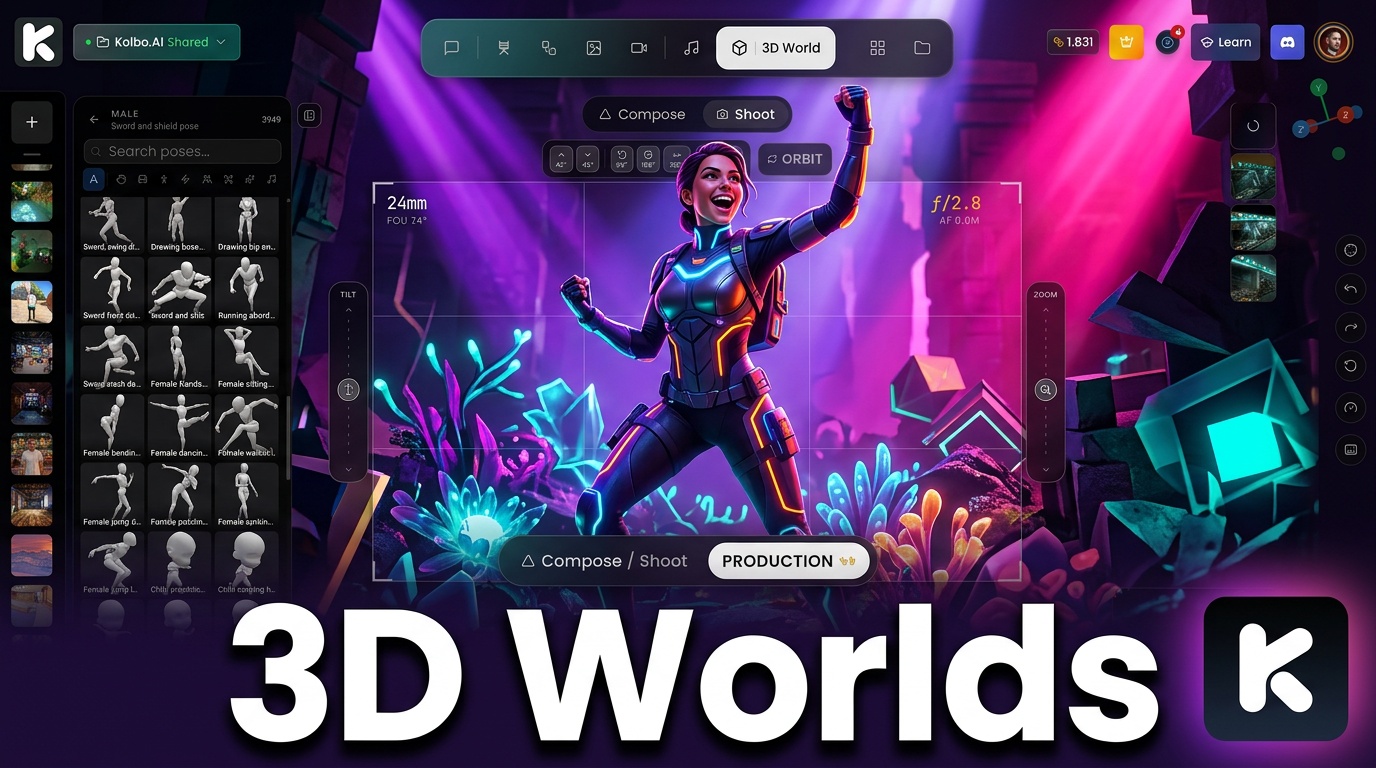
There's a technology most people haven't heard of, and it's changing how 3D environments are created. It's called Gaussian Splatting.
Instead of building classic 3D models from polygons, the AI takes regular photos and computes depth from them. It invents the details between pixels and assembles a fully navigable 3D environment from the result. The reason this works smoothly in a browser tab without crashing is WebGL 2.0 - a rendering technique that modern browsers support natively, capable of processing complex 3D graphics without any plugins or installs.
That technology is now live inside Kolbo.AI.
What You Can Do
Navigate and Explore in 3D
Enter any 3D environment and move through it freely. The camera responds in real time - pan, fly, rotate, zoom. You're not watching a video or cycling through preset angles. You're actually inside a navigable space.
AI-Optimized Snapshots
While inside a 3D scene, capture stills at any angle. Those snapshots are passed through Kolbo's AI image models, which optimize lighting, composition, and detail - turning raw scene captures into polished, high-quality images ready for use.
Google Maps to 3D
Open Google Maps, find any location - a street, a building, a neighborhood - and bring it into Kolbo.AI. The platform converts it into a 3D environment you can explore in your browser. Walk through your client's neighborhood. Navigate a filming location before you're on site. Build references for any real-world space.
Import from Sketchfab
Pull any 3D model from Sketchfab directly into your scene. Kolbo.AI handles the import - no file conversion, no compatibility headaches. Browse the Sketchfab library and drop models straight into your working environment.
3D Objects and Mannequin Poses
Add 3D objects to your scene and position them precisely. The mannequin system lets you place poseable figure references - useful for character design, fashion references, animation storyboards, or any workflow where human proportions and posture matter.
Custom 3D Models for Products and Characters
Create your own 3D models from within the platform. Bring a product, a character, or an object to life in three dimensions without external modeling software. The output lives inside your Kolbo workspace alongside all your other generated assets.
How to Access It
- Log in at kolbo.ai
- Go to 3D Tools → 3D World
- Start building or import your first environment
Who It's For
Product designers and brand teams - visualize products in real environments without a photoshoot. Import your reference location from Google Maps, place your product model, and capture from every angle.
Filmmakers and art directors - scout real-world locations in 3D before production. Create spatial storyboards you can actually navigate.
Game designers and concept artists - use Sketchfab imports and mannequin poses to build scene references directly in your browser. No Maya, no Blender session required.
Marketers and content creators - generate 3D scene snapshots as social content, ads, or presentations. The AI optimization step means the output looks finished, not like a raw render.
Part of 100+ Tools in Kolbo.AI
3D Worlds joins 100+ AI creative tools in your Kolbo workspace - image generation, video, music, speech, canvas editing, and now spatial 3D environments. Everything in one platform, no context switching.
Use KOLBO30 for 30% off the first monthly subscription payment for eligible new customers. Annual plans and credit packs are excluded; confirm eligibility and renewal pricing at checkout.
Best, Zohar Founder, Kolbo.AI