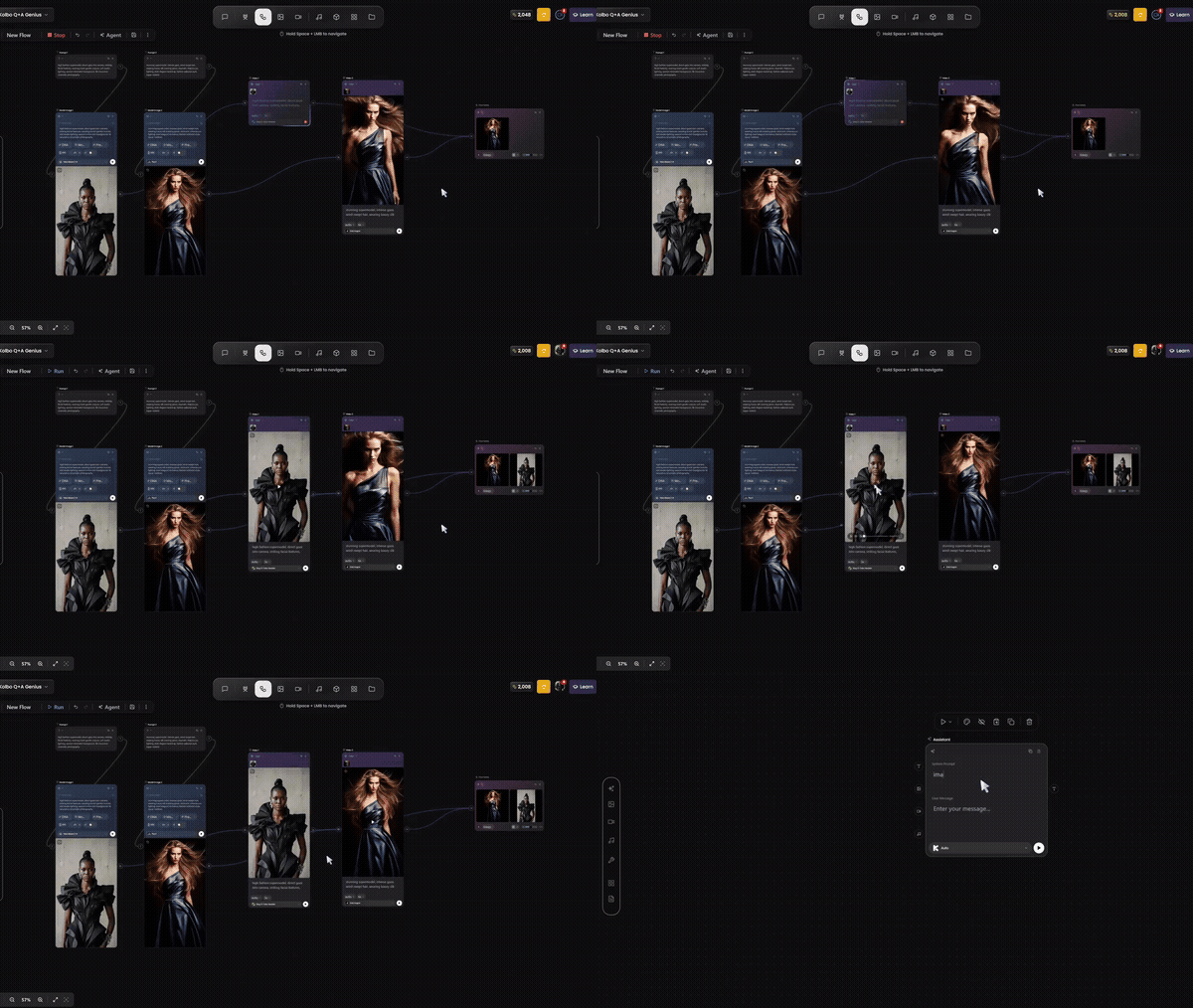
Every creator working with AI knows the friction: generate an image in one tool, download it, upload it to another to edit, download again, bring it somewhere else to animate, export, add audio somewhere else. The content itself takes five minutes. The logistics take an hour.
Flow is built to eliminate that entirely.
What Is Flow?
Flow is Kolbo's visual workflow builder - a node-based canvas where you connect AI generation steps into a continuous, automated pipeline. Instead of executing tasks one at a time and manually transferring files between them, you design the entire sequence visually and run it in a single operation.
Think of it as a creative assembly line you design once and run whenever you need it.
How It Works
The interface is a canvas. Each step in your workflow is a node - a box that represents a specific AI action. Drag out the nodes you need, connect their inputs and outputs, configure the settings, and hit run. The output of each step flows automatically into the next.
A basic example:
- Text Prompt - write your starting prompt
- Image Generation - generates using any Kolbo model
- Background Removal - strips the background automatically
- Image-to-Video - animates the result using Kling, Seedance, or any video model
- Music Generation - adds a Suno-generated audio track to the final video
That entire pipeline runs from a single click. No file juggling, no tab switching, no repeated manual steps.
Why Node-Based Workflows Are Powerful
The visual format isn't just aesthetic - it makes complex logic legible. You can see the full shape of your pipeline at once: what feeds into what, where the branching points are, what the final output will be. When something doesn't work, you can see exactly where the issue is and fix just that node.
It also makes workflows shareable and reusable. Build a pipeline for your product photography process once, save it, and run it every time a new product comes in. Build a character generation workflow and you have a repeatable system instead of a set of remembered steps.
Use Cases
Input a product image. Output: lifestyle shot, background removed, resized for each platform, with a generated product description. The whole thing in one pipeline.
Generate a hero image, animate it, add background music, export at the right aspect ratio for Reels, TikTok, and YouTube Shorts - all in one run.
Use MIRAGE CAST to generate a character, feed into a face close-up variation, then animate. Consistent character, full pipeline, one workflow.
Connect a prompt variation loop to your image generation, output 10 variants in parallel, and filter by style - without touching each one manually.
No Code, No APIs, No Setup
Flow requires nothing except your creative logic. No scripts, no API calls, no webhooks. Everything runs on Kolbo's infrastructure using the same credits and models you already have access to.
If you can plan a creative process, you can build it in Flow.
Getting Started
Flow is available now in your Kolbo workspace.
- Go to app.kolbo.ai/flow
- Open a new canvas
- Add your first node - start with a prompt input or image upload
- Build outward from there
Start simple: a two-node pipeline (generate → edit), run it, watch the outputs connect. From there the logic extends naturally.
Use code KOLBO30 for 30% off any plan upgrade.
Flow is live. Open a canvas and start building.
Start Building in Flow →Best, Zohar Founder, Kolbo.AI