The Problem With Text-Based Camera Control
Every filmmaker knows the vocabulary: Dolly Zoom, Crane Up, Whip Pan, Arc Shot. But translating that vocabulary into an AI text prompt is a different skill entirely - and results are unpredictable at best.
"Slowly zoom in while the background stays still" might give you a basic push-in. It will not give you the Hitchcock Vertigo effect. "Orbit around the subject" could mean ten different things depending on speed, height, and focal length. You end up burning credits iterating on prompts instead of iterating on your creative vision.
Kolbo.AI's cinematic camera movement presets eliminate that gap entirely. Instead of describing a move, you select it.
What Makes the DoP Model Different
The Higgsfield DoP (Director of Photography) model is not a general-purpose video model that happens to accept camera descriptions. It was trained directly on camera movement data - real cinematographic motion captured and encoded as the model's foundational understanding of how a camera behaves in physical space.
That distinction matters. When you select "Dolly Zoom," the model does not interpret a text phrase - it executes a learned motion pattern built from real footage of that specific technique. The result is technically accurate, frame-consistent, and cinematically coherent in a way that prompt-based approaches rarely achieve.
Kolbo.AI offers three DoP variants:
- DoP Lite - Optimized for speed and credit efficiency. Ideal for rapid iteration, social content, and situations where volume matters. Still produces motion that would have required expensive equipment to achieve on a physical set.
- DoP Standard - The workhorse. Balances quality and generation time for professional content production. This is the right choice for brand campaigns, product showcases, and creator portfolios.
- DoP Preview - Maximum quality mode. Longer generation time, highest temporal consistency, best for hero content, pitch reels, and cinematic sequences where every frame counts.
The Preset Library: What You Can Do
The DoP model supports 100+ distinct camera presets. Here are the primary categories and standout techniques:
Push / Pull Moves
These are the workhorses of cinematic storytelling - moving the camera toward or away from a subject changes the emotional weight of a scene.
- Push to Glass - An intense, slow push into a subject that creates intimacy and tension. Perfect for close-up reveals and emotional beats.
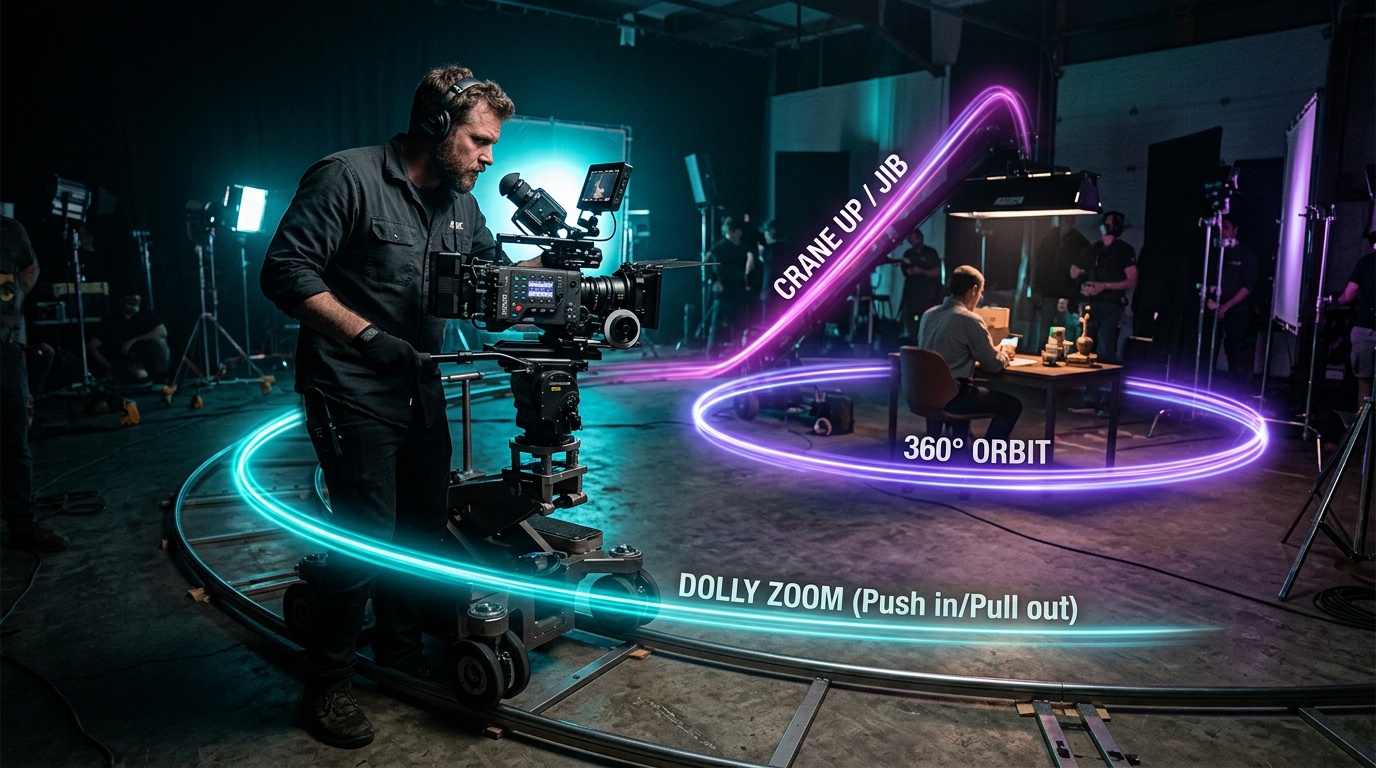
- Dolly Zoom (Vertigo Effect) - The camera moves back while the lens zooms in simultaneously, keeping the subject the same size but stretching the background. One of cinema's most iconic effects.
- Rack Focus Pull - Shifts sharp focus from one depth plane to another, guiding the viewer's eye between subjects or layers in the frame.
Orbits & Arcs
Circular motion around a subject adds energy, scale, and production value to any shot.
- 360 Orbit - A complete circular sweep around the subject. Exceptional for product showcases, character introductions, and scene-setting.
- Arc Shot - A partial orbit, typically 90-180 degrees. More intimate than a full 360, great for dramatic reveals and dynamic product shots.
- Head Tracking - The camera stays locked on a moving subject's face or body, following natural motion with handheld-style precision.
Tracking & Sliding Shots
Lateral camera movement creates parallax depth and gives footage a professional, high-budget feel.
- Truck Left / Truck Right - Pure lateral camera movement (the camera body slides, not just the lens). Creates depth separation between foreground and background.
- Pan Left / Pan Right - The camera rotates horizontally on its axis. Classic news and landscape technique.
- Whip Pan - An ultra-fast horizontal pan that creates a blur transition. Used in action sequences and as a stylistic cut replacement.
Vertical Moves
Height changes communicate status, scale, and dramatic shift more effectively than almost any other camera technique.
- Crane Up / Crane Down - Smooth vertical elevation or descent. Crane Up is a classic scene-opening move; Crane Down builds tension and claustrophobia.
- Tilt Up / Tilt Down - The camera rotates on its horizontal axis, revealing subjects from bottom to top or top to bottom.
- Bird's Eye Drop - Starts at a top-down overhead angle and slowly descends toward the subject. Exceptional for architectural reveals and dramatic product placement.
Aerial & Wide Moves
- Aerial Flyover - Simulates drone footage moving over a scene or landscape. No drone required, no location restrictions.
Stylistic Techniques
- Handheld Walk - Subtle organic camera shake that mimics a cinematographer carrying the camera on their shoulder. Adds realism and intimacy to scenes that feel too sterile.
- Anamorphic Flares - Not strictly a movement, but a lens artifact technique that creates the characteristic horizontal lens flares of anamorphic cinema. Instantly elevates the cinematic feel of any image.
How to Use Camera Movement Presets on Kolbo.AI
The workflow is straightforward:
1. Go to Video Tools → Image to Video Navigate to app.kolbo.ai/video-tools and select Image to Video mode.
2. Upload your image Any high-quality photo, illustration, product shot, or AI-generated image works. The DoP model handles wide shots, close-ups, architectural exteriors, portraits, and product photography equally well.
3. Select your DoP variant and motion preset Choose DoP Lite, Standard, or Preview based on your output requirements. Then browse the preset list and select your camera move. No additional text prompts needed - the preset encodes everything the model needs to know.
4. Generate Hit generate. DoP Lite returns results in seconds. Standard and Preview take longer but deliver proportionally higher quality. Download your video and you're ready for edit, social, or client delivery.
Who This Is For
Filmmakers and directors can use Kolbo's DoP presets to pre-visualize shot ideas before a shoot, or to create cinematic references for discussions with cinematographers. The accuracy of the presets means the output genuinely communicates the intended technique - not a loose approximation of it.
Content creators and social media teams get access to film-quality motion without production budgets. A product shot that would have required a motion-control rig can now be created in minutes. A 360 orbit that would need a full crew day can be generated from a single image.
E-commerce and brand teams can transform static product photography into cinematic video assets. A hero product shot becomes a luxury reveal. A lifestyle image becomes a dynamic brand video.
Agencies and production companies can use the DoP presets as a rapid concepting tool - show clients the actual camera technique rather than describing it, iterate on motion direction in real time, and deliver concepts in hours instead of days.
Ready to apply professional camera techniques to your images?
Use KOLBO30 for 30% off the first monthly subscription payment for eligible new customers. Annual plans and credit packs are excluded; confirm eligibility and renewal pricing at checkout.
Camera movement is the language of cinema. Now that language is available to every creator on Kolbo.AI - no equipment, no crew, no budget required. Just your image and the exact move you want to make.
Zohar Founder, Kolbo.AI