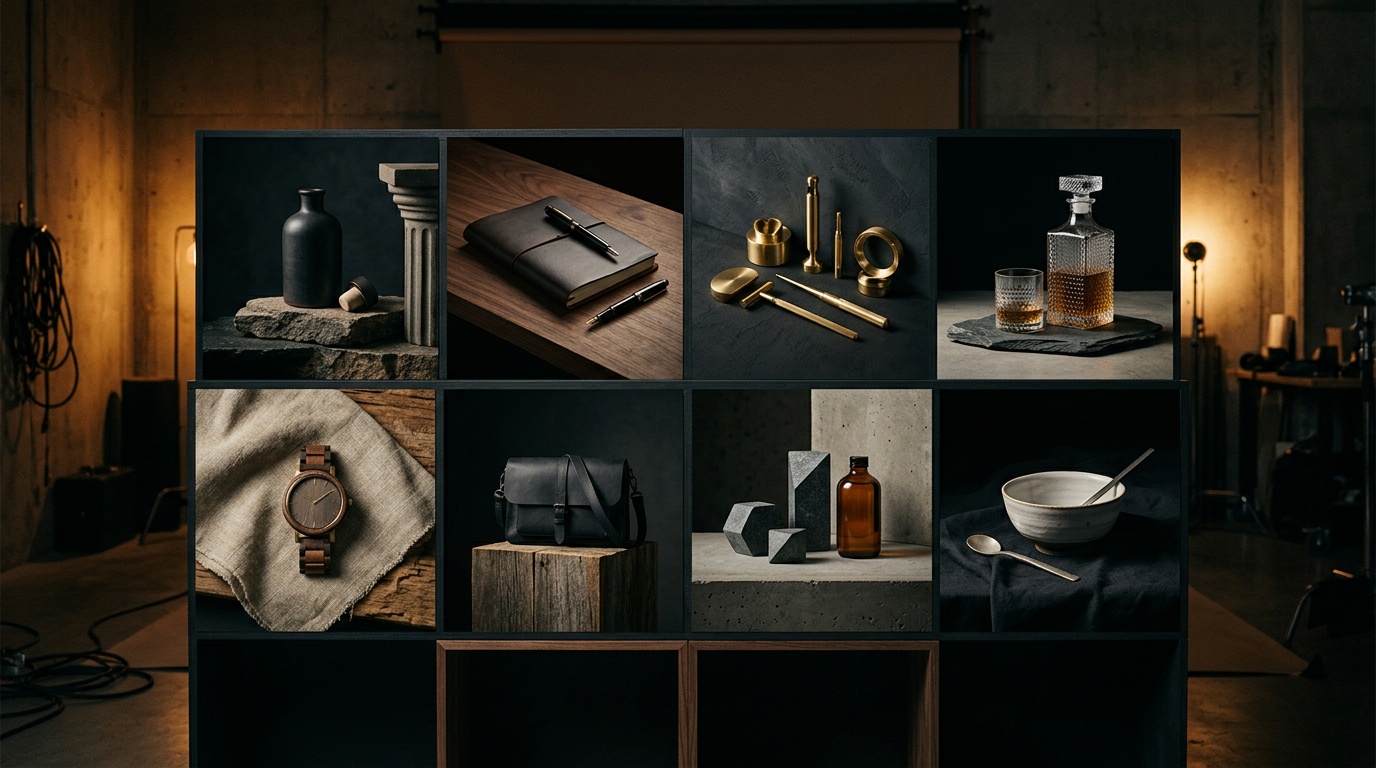
Studio photography has a pricing problem. A single professional shoot for one product can run anywhere from $500 to $2,500, take 3 to 7 days to deliver, and produce a limited set of angles and setups. Scale that across 50 SKUs and the math becomes impossible for most brands. AI image tools promised a fix, but generating images one at a time still leaves you with 8 disconnected images that look like 8 different experiments, not a campaign.
Kolbo's Creative Director works differently. You write one brief, specify how many scenes you need (up to 8), and the tool plans every scene with unique prompts, then runs all of them in parallel. What comes back looks like a planned campaign shot over a full production day, not a handful of random generations.
The Problem with One-at-a-Time AI Image Generation
When you prompt an AI image model with "running shoe on white background," you get one image. Prompt it again and you get a different image with different lighting, a slightly different angle, and a different aesthetic. The second image and the first do not belong together visually.
For e-commerce and marketing, visual coherence is not optional. Product pages, ad sets, and social grids all require images that feel like they came from the same shoot. That is what Creative Director delivers at scale.
How Creative Director Actually Works
You write one brief describing the product, audience, and mood. Creative Director reads the brief and plans each individual scene autonomously, assigning unique prompts that serve different marketing functions: a hero shot, a lifestyle context, a detail close-up, a flat lay, a dramatic lighting setup, and so on. Then it runs all scenes simultaneously.
The key difference is the planning layer. A regular AI image tool executes one prompt at a time. Creative Director acts like an art director who reads your brief and decides which 8 shots a complete campaign needs.
Writing a Brief That Works
The quality of your output depends heavily on how you write the brief. Here is a practical structure that works for e-commerce.
Step 1: Describe the Product Specifically
Avoid generic nouns. Instead of "sneakers," write "women's running shoe, blue and white colorway, thick cushioned sole, athletic-minimalist silhouette." The more specific your description, the more consistently it appears across all 8 scenes.
Step 2: Define Your Audience and Use Case
"Women 25 to 40, urban runners who commute on foot and train recreationally." This context shapes the lifestyle and environment choices Creative Director makes when planning scenes.
Step 3: Give Mood and Direction Without Micromanaging
Write "natural light, minimalist, earth tone palette" rather than describing each scene yourself. Let Creative Director plan the 8 scenes. If you over-specify, you narrow the planning layer's ability to produce variety.
Step 4: Choose Your Scene Count by Purpose
Use 2 to 3 scenes for concept testing before committing to a full campaign. Use 4 to 5 for a product detail page that needs a hero, two lifestyle shots, a detail, and a flat lay. Use 8 for a full campaign covering social, ads, and email assets.
Practical Example: Running Shoe Campaign
A brief for "women's minimalist running shoe, blue-white, cushioned sole, target: urban runners 25-40, mood: fresh, light, confident, Scandinavian minimal" would prompt Creative Director to plan scenes such as:
- Close-up on sole texture with concrete background
- Flat lay with water bottle and earbuds on linen
- Lifestyle shot in a park at golden hour
- Bench detail with both shoes arranged symmetrically
- Dramatic side-lit studio shot emphasizing silhouette
- Motion blur on pavement implying movement
- Overhead pair shot on white background for product page
- Café context shot with the shoe visible under a table
You did not write any of those prompts. The brief did.
Visual DNA for Character-Based Products
If your product features a character, mascot, or spokesperson, Visual DNA solves a specific problem: AI generates a slightly different face or figure every time by default. Visual DNA locks the character's appearance so every scene has the same exact person or mascot. Combine Visual DNA with Creative Director and every scene in your campaign has both visual consistency and creative variety.
Post-Generation Workflow
Creative Director is for campaigns. Image Editing is for fixes.
Once your 8 images come back, use Kolbo's Image Editing tools to fine-tune details on a specific scene: adjust lighting, change a background color, remove an unwanted element. Do not re-run Creative Director for small adjustments. Re-run it only when you want a full new concept or direction.
A practical loop: run Creative Director on Monday for the concept, review and select the best 3 or 4 on Tuesday, use Image Editing to refine those specific images on Wednesday.
The ROI Case
A traditional 8-image product shoot costs $800 to $2,500, requires a location or studio, a photographer, a stylist in many cases, and takes 3 to 7 days to deliver finished images. Reshoots add time and cost.
Creative Director runs in under a minute. For brands with many SKUs, this is not a marginal improvement. It fundamentally changes what is economically possible.
A brand launching 50 new products per quarter can produce a complete visual campaign for every single one. A direct-to-consumer startup can test 5 different visual directions before committing to a campaign, at the cost of 5 minutes and a subscription.
Writing Briefs in English for Best Results
Creative Director performs best with briefs written in English, even if your target market speaks another language. Use specific visual style keywords that reference established aesthetics: "Scandinavian minimal," "dark moody editorial," "bright airy Californian," "urban streetwear." These carry clear visual meaning the model interprets consistently.
Keep briefs clean. A 3 to 5 sentence brief outperforms a 20-sentence one that overloads the planning layer with conflicting direction.
From Campaign to Storefront
Creative Director output integrates directly into your e-commerce workflow. Download the images, bring them into Shopify, Squarespace, WooCommerce, or whatever platform you use. For ad campaigns, export individual scenes into your Meta or Google ad manager. For email, the suite of 8 gives you options across the entire campaign sequence without the images looking mismatched.
Start with one SKU, write a tight brief, run 8 scenes, and see what comes back. Most brands find a working brief format in 2 or 3 runs, then replicate it across their catalog.
Ready to replace your next product shoot? Start your first Creative Director campaign at app.kolbo.ai and generate 8 campaign-ready images from a single brief.