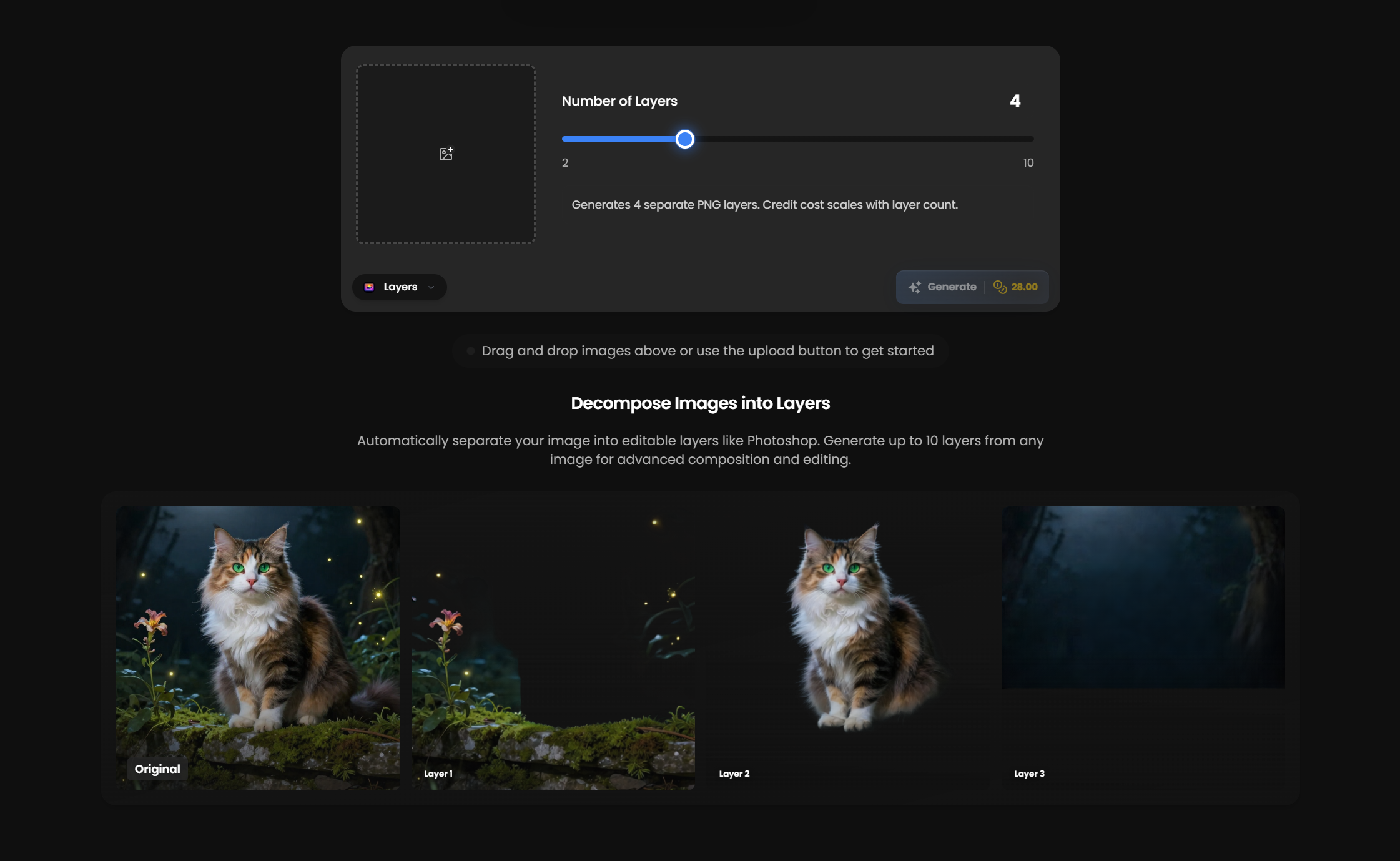
The Layers feature is officially live on Kolbo.AI. We know the pain of manually cutting out elements from a flat image - selecting, masking, refining edges, pixel by pixel. So we fixed it. Upload any image and automatically decompose it into up to 10 separate, transparent PNG layers. Background, mid-ground, subjects, foreground - all separated and ready to animate, composite, or edit individually.
How It Works
1. Upload your image
Any image - photo, illustration, screenshot, AI-generated art.
2. AI decomposes into layers
Up to 10 separate layers with clean transparency and preserved detail.
3. Download as transparent PNGs
Ready for animation, compositing, or individual editing in any software.
What Makes It Special
Up to 10 Transparent Layers
AI intelligently separates your image into distinct depth layers - background, mid-ground, subjects, foreground elements.
Clean Edge Detection
No jagged edges or halos - professional-quality transparency on every layer.
Works with Any Image
Photos, illustrations, AI art, screenshots - if it's visual, we can layer it.
Perfect For
Animation & Motion Graphics
Separate elements to create parallax effects and depth-based animation.
Compositing Workflows
Extract subjects and elements for use in other compositions.
Video Production
Create multi-layer backgrounds for green screen replacement or visual effects.
Why This Matters
Manually separating image elements in Photoshop takes time - selecting, refining masks, cleaning edges. Layers does it all automatically in seconds. Upload your image, get 10 transparent PNGs, and start animating or compositing immediately.
Get Started
The Layers feature is live now in Image Tools. Upload your image, click decompose, and download your transparent layer stack.
Use KOLBO30 for 30% off the first monthly subscription payment for eligible new customers. Annual plans and credit packs are excluded; confirm eligibility and renewal pricing at checkout.