The Qwen family just got a significant upgrade. Qwen Image 2 arrives in Kolbo.AI with two model tiers - Standard and Pro - both available for text-to-image generation and image editing. Whether you need fast, quality output at an efficient cost or you're pushing for maximum fidelity, there's a Qwen Image 2 for your workflow.
What's New
🎨 Two Models, Two Tiers
Qwen Image 2 Standard delivers strong image quality for everyday generation tasks. At 5 credits per generation it's one of the most credit-efficient options in the Kolbo model lineup - perfect for rapid iteration, volume production, and exploration.
Qwen Image 2 Pro steps up with enhanced detail, stronger prompt adherence, and richer visual output. At 11 credits per generation it's the choice when you need the best possible result - hero images, client deliverables, or anything where quality is the priority.

🖼️ Up to 3 Reference Images in Edit Mode
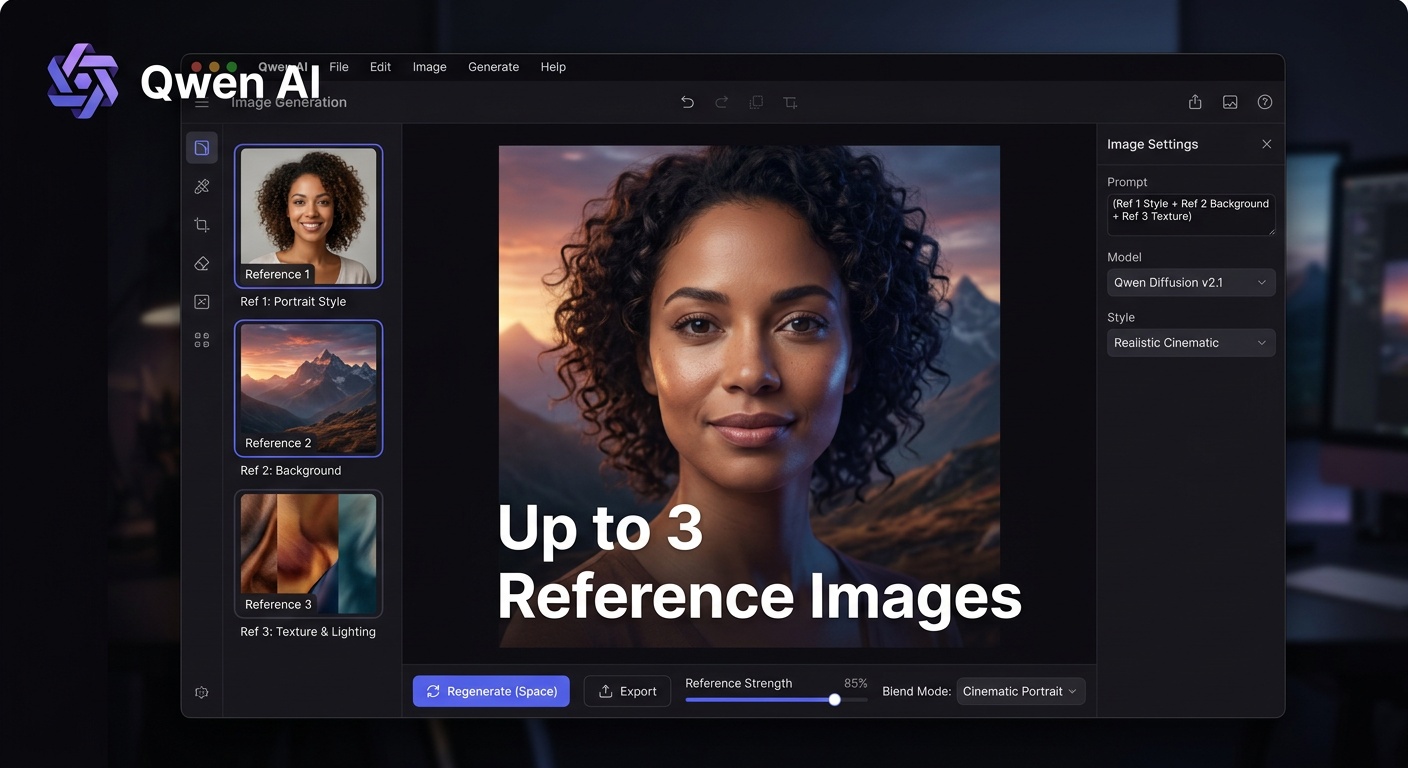
Image editing with Qwen Image 2 supports up to 3 reference images simultaneously. Feed the model a character, a style reference, and a composition - and guide the output precisely. This multi-reference approach gives you more creative control than single-image editing workflows.
📐 5 Aspect Ratios
Generate in the format your project demands from day one:
- 1:1 - Social media squares, profile images
- 4:3 - Traditional landscape, presentations
- 3:4 - Portrait orientation, editorial
- 16:9 - Widescreen, YouTube thumbnails, cinematic
- 9:16 - Instagram Stories, TikTok, Reels
No cropping after the fact - choose your ratio before you generate.
🧬 Part of the Qwen Family
Kolbo.AI already has Qwen Max in the lineup. Qwen Image 2 Standard and Pro join as the dedicated image generation and editing models in the same family, giving you a complete Qwen-powered creative stack from general-purpose intelligence to precision image work.
How to Access It
- Log in at kolbo.ai
- Go to Image Tools → Text to Image
- Open the model picker and select Qwen Image 2 or Qwen Image 2 Pro
- For image editing, go to Image Tools → Image Editing and select the same models
- Generate
No extra setup. Both models are live in your workspace now.
Who It's For
Designers and art directors - use Pro for final deliverables, Standard for fast concept iteration throughout the project.
Content teams - Standard gives you volume output at a cost that scales. Generate a full week of visuals without burning your credit balance.
E-commerce brands - multi-reference image editing lets you maintain character and product consistency across shoots without a studio.
Marketers - switch aspect ratios per platform in seconds. One prompt, five formats, ready to publish.
💡 One of 100+ Models in Kolbo.AI
Qwen Image 2 Standard and Pro join 100+ AI models in your Kolbo workspace. Switch between Qwen Max, Nano Banana 2, Flux, Recraft, and more - all without losing context. Or let Smart Agent choose the best model for each task automatically.
Use KOLBO30 for 30% off the first monthly subscription payment for eligible new customers. Annual plans and credit packs are excluded; confirm eligibility and renewal pricing at checkout.
Best, Zohar Founder, Kolbo.AI