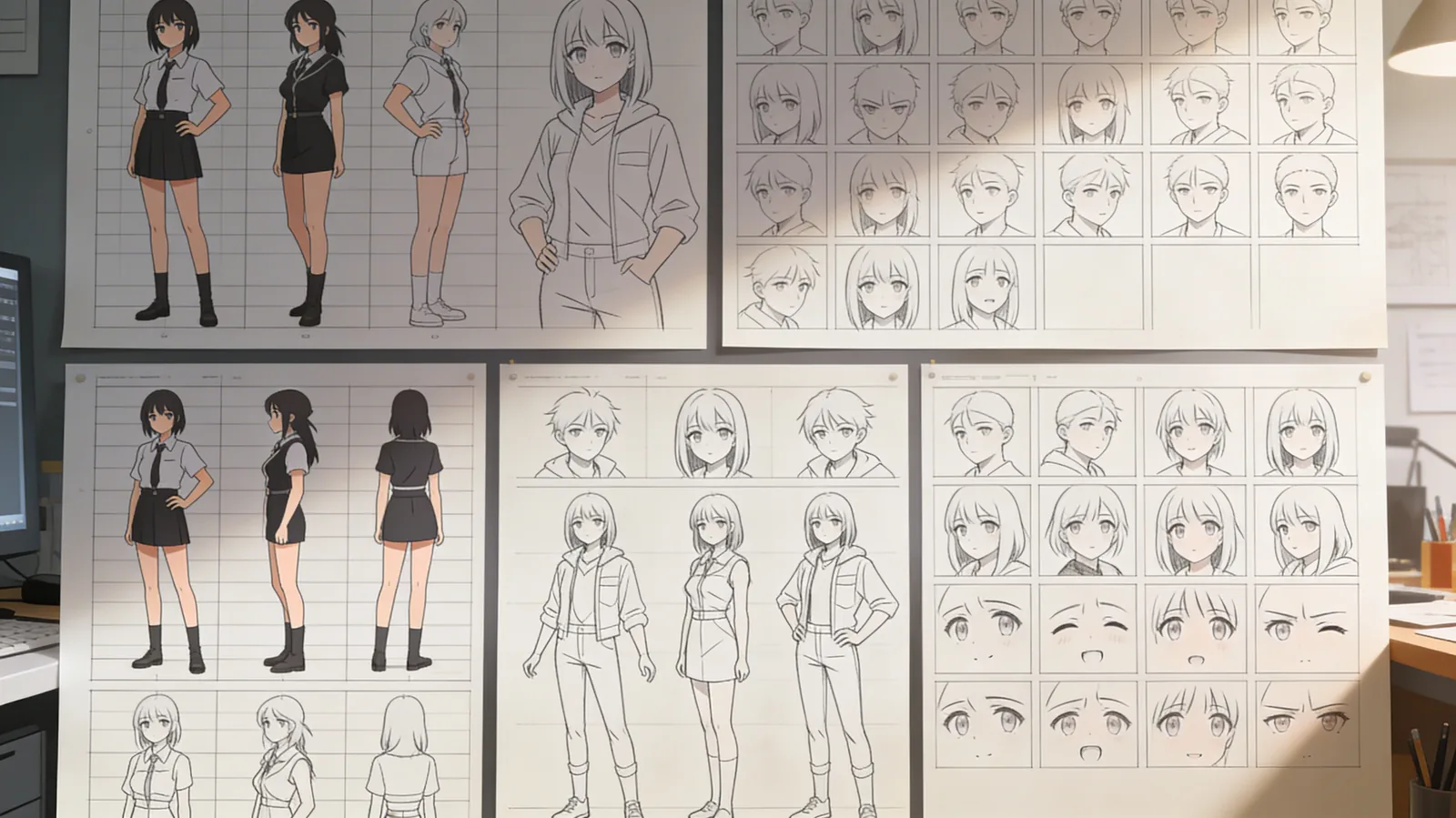
Create organized image grids and professional character sheets with new presets in Text-to-Image and Image Editing. Generate 2x2, 3x3, and 4x4 layouts, plus character design sheets - all with a single preset selection.
What's New
Grid Presets
Three new grid layouts:
- 2x2 Grid: Four variations in organized layout
- 3x3 Grid: Nine versions for comprehensive options
- 4x4 Grid: Sixteen variations for maximum exploration
Perfect for:
- Product showcases with multiple angles
- Design variations and A/B testing
- Color palette explorations
- Scene variations
Character Sheet Preset
Professional character design layouts:
- Multiple poses of the same character
- Expression variations (happy, sad, angry, neutral)
- Turnaround views (front, side, back)
- Consistent character across all views
Perfect for:
- Animation and game character development
- Comic and illustration references
- Visual development for storytelling
- Brand mascot creation
Available in Two Tools
Use in both:
- Text-to-Image: Generate grids from descriptions
- Image Editing: Apply grid layouts to existing images
How to Use
Creating Grids
- Open Text-to-Image or Image Editing
- Select grid preset (2x2, 3x3, or 4x4)
- Enter your prompt or upload image
- Generate - receive organized grid layout
Creating Character Sheets
- Select Character Sheet preset
- Describe your character
- Generate - receive professional turnaround sheet
- Use for consistent character across projects
Perfect For
Character Designers & Animators
Develop consistent character designs with turnaround sheets showing multiple poses, expressions, and angles all in one generation.
Product Designers & Marketers
Showcase products from multiple perspectives in organized grid layouts for presentations, catalogs, and marketing materials.
Comic Artists & Illustrators
Create character reference sheets with expression guides and pose variations for consistent illustration across pages.
Game Developers
Generate character sprites and asset variations in organized grids for rapid game development and prototyping.
Why This Matters
Character consistency and organized visual presentation typically require manual arrangement across multiple generations, then layout work in external tools.
These presets generate organized, professional layouts in one step. Character sheets maintain visual consistency automatically. Grid layouts present variations in clean, presentation-ready formats.
Get Started
Grid Presets and Character Sheets are live now in Text-to-Image and Image Editing. Select your preset, describe what you want, and generate organized professional layouts.
Use code KOLBO30 for 30% off your first month.