A big batch shipped this week. Cinematic imagery, character-locked video voices, expressive speech with real direction, cleaner erase, and a smarter in-progress UI. Here's everything that's new.
🎨 Grok Imagine Quality - Cinematic, Photoreal Imagery
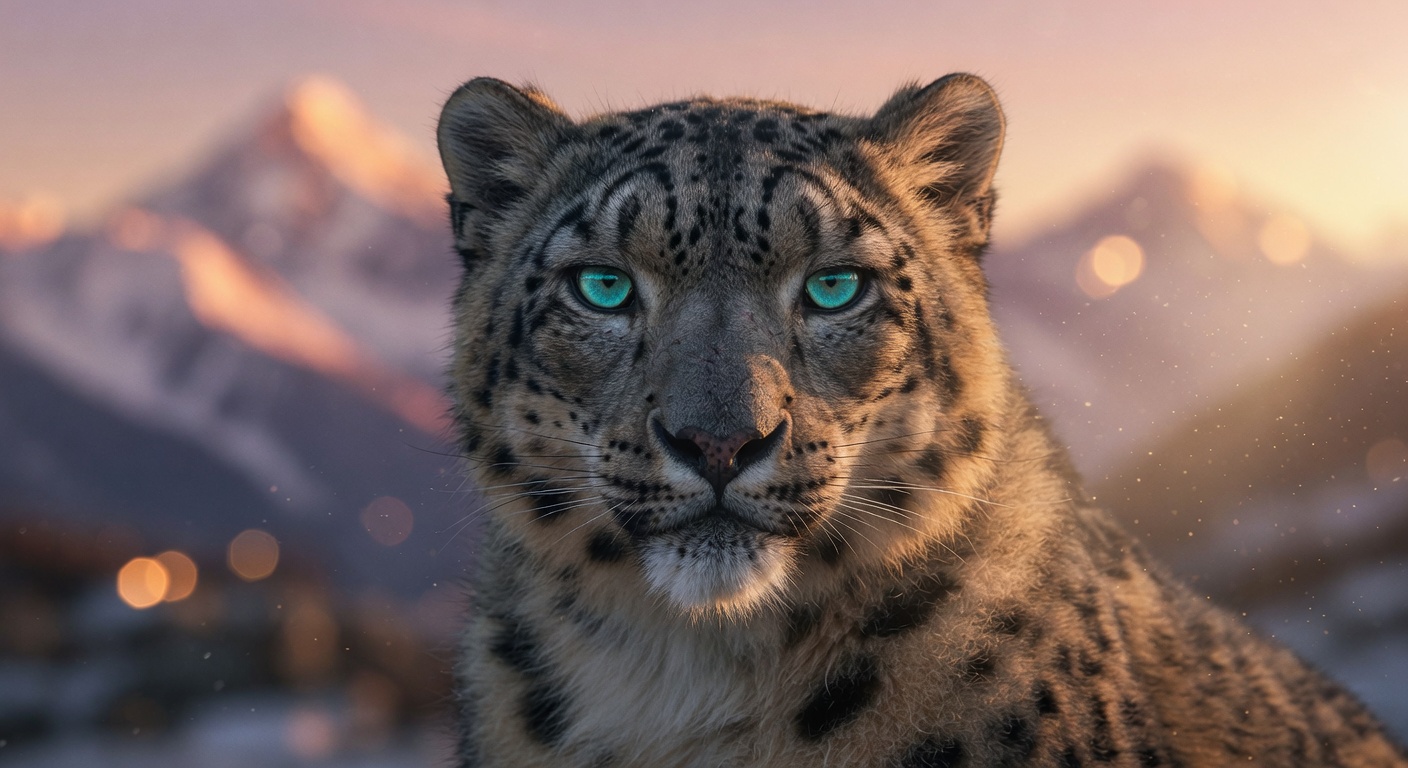
xAI's higher-quality tier is now live, in both Text-to-Image and Image Edit. Atmospheric lighting, realistic rain and neon reflections, nuanced expressions. Supports Visual DNA and up to 3 reference images. Selectable 1K and 2K output.
This is the model to reach for when you need photorealism with real depth - film stills, product shots that actually look shot, characters with believable skin and hair detail.
🗣️ Gemini Voices - 30 New TTS Voices, Accents & Direction
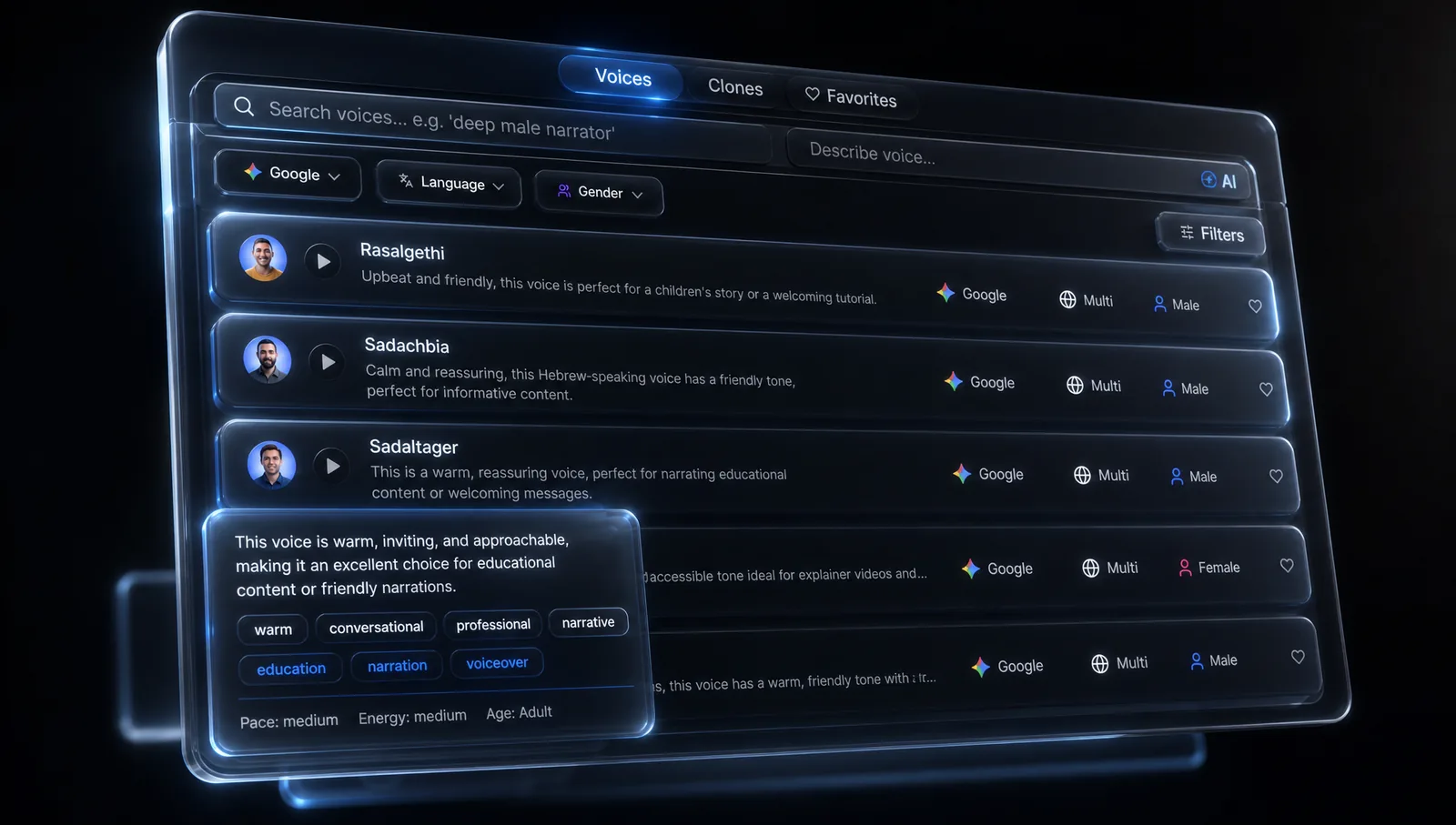
30 expressive Gemini voices, each with 40+ language and accent variants - English (US/UK/AU/IN), Spanish, French, Portuguese, Hebrew, Arabic, Hindi, Japanese, Korean, Mandarin and 20+ more.
Pair them with the new Voice Direction picker: 12 curated styles (Whisper, Dramatic newscast, Calm narration, Storyteller, TV commercial, Cheerful, Soft & intimate, Excited & energetic, Sad & melancholic, Serious & professional, British accent, Warm & conversational) - or a Custom prompt up to 500 characters for free-form direction.
The chosen style is shown on each generated audio card so you can see exactly how a take was directed.
🎬 Gemini Omni Video - Pin a Character's Voice Into the Video
A new text-to-video and Elements model that locks specific character voices and audio clips into the output. 4-10s outputs at 16:9 or 9:16 in 720p, 1080p, or 4K.
The magic: it reuses voice samples attached to your character Visual DNAs. Say it once on the DNA and every Gemini Omni run picks up the right voice automatically. Perfect for character-driven shorts where the voice IS the character.
⚡ Grok Imagine Video - Any Duration, More Reliable
Example: image-to-video with Grok Imagine
Pick any video length from 1 to 15 seconds - no more fixed-duration buckets. We swapped providers (fal primary, kie fallback) for dramatically more reliable generations. Same quality, far fewer "the model timed out" surprises.
🧽 New Erase Mode in Inpaint + Flux Pro Erase
The brush tool now has two modes:
- Replace - paint a region, describe what should appear there
- Erase - paint, get it cleanly removed, no prompt needed
The model list swaps automatically when you switch modes, and a new Inpaint / Erase shortcut is available straight from the image right-click menu.
We also added Flux Pro Erase - a premium dedicated erase model from Black Forest Labs for cleaner removals on skin, hair, and complex textures than the default erase model produces.
⏱️ Generation Progress - Redesigned & Smarter
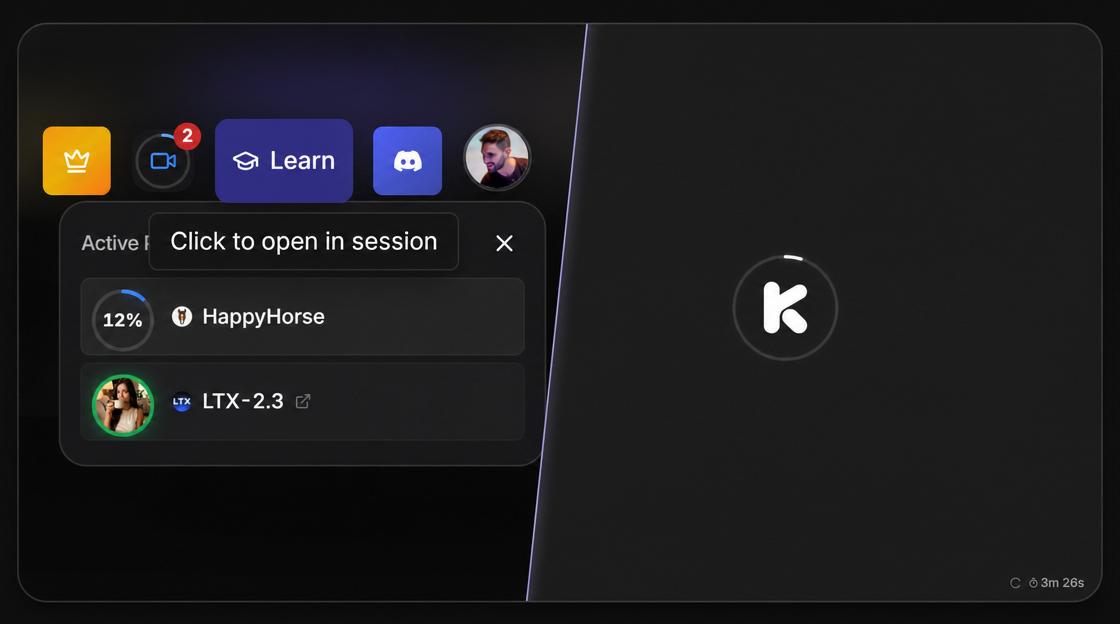
A cleaner in-progress UI, more accurate ETAs you can actually trust (resolution-aware, calibrated from real production data - no more 38-second countdowns for 4K generations that take 4 minutes), and one-click jump from the global progress panel straight to any running generation.
Each loader now shows the model avatar so you know exactly what's running - no more guessing whether that loader is for the Seedance generation or the Sora preset you queued.
🧬 Visual DNA: Attach Reference Video & Voice Samples
The Visual DNA creation panel now has an Advanced media section: optionally attach a 3-10s reference video and, for character DNAs, a voice sample alongside the usual reference images.
Useful when motion or speech is part of what makes the character feel right - captured once at creation time, used everywhere downstream (including Gemini Omni Video, which reads the voice sample automatically).
What's Next
Keep an eye on the in-app announcement deck (bottom-right corner) for daily updates. More model launches, workflow upgrades, and quality-of-life improvements are already in the pipeline for June.