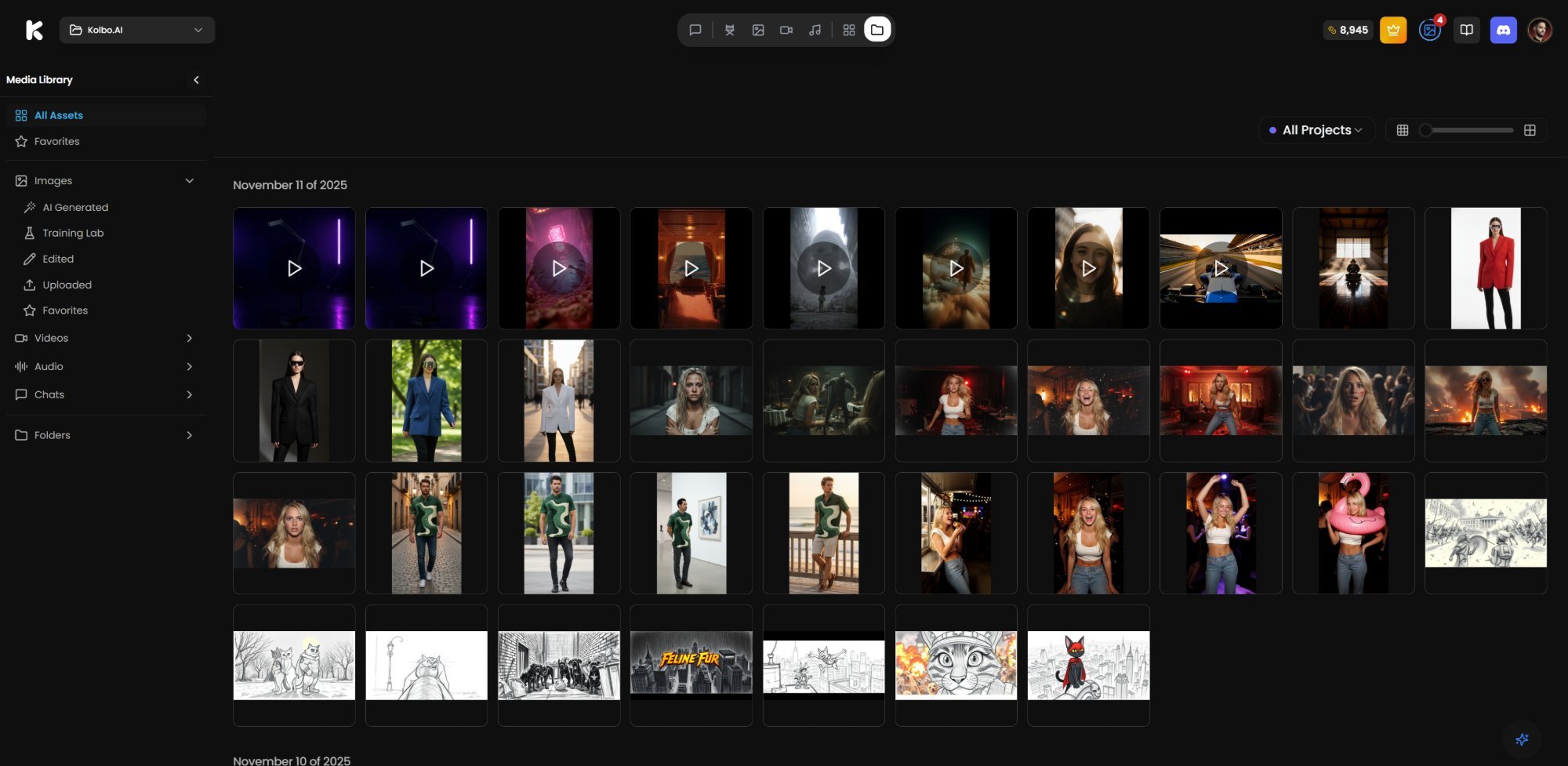
We're thrilled to announce the launch of our New Media Library, a powerful feature designed to revolutionize how you organize, search, and access all your AI-generated content.
What is the Media Library?
The Media Library is your centralized hub for all content created in Kolbo.AI. Whether you're generating images, videos, audio files, or text documents, everything is now organized in one easily accessible location.
Key Features
Centralized Organization
- All Your Content in One Place - Access images, videos, audio, and documents from a single interface
- Smart Organization - Automatic categorization by content type, creation date, and project
- Quick Access - Find what you need instantly with powerful search and filtering
Advanced Search & Filtering
- Search by Keywords - Find content using tags, descriptions, or file names
- Filter by Type - Quickly narrow down to images, videos, audio, or documents
- Date Range Filtering - Locate content created within specific time periods
- Project-Based Filtering - View all content associated with specific projects
Enhanced Management
- Bulk Operations - Select and manage multiple files at once
- Organize into Collections - Create custom collections for your favorite content
- Quick Preview - View thumbnails and previews without opening files
- Easy Sharing - Share individual files or entire collections with team members
Seamless Integration
- Project Integration - All content is automatically linked to its source project
- Quick Access from Workspace - Jump directly to the Media Library from any project
- Export Options - Download individual files or export entire collections
Benefits for Your Workflow
Save Time
No more searching through multiple projects to find a specific image or video. The Media Library provides instant access to all your content.
Better Organization
Keep your workspace clean and organized. All your generated content is automatically cataloged and easily searchable.
Improved Collaboration
Share collections with team members, making it easier to collaborate on projects and maintain consistency across your work.
Enhanced Productivity
Quick access to your content means less time searching and more time creating. Focus on what matters most - bringing your creative ideas to life.
Getting Started
Using the Media Library is simple:
- Access the Library - Click on the Media Library icon in your workspace navigation
- Browse Your Content - View all your generated content in a clean, organized grid
- Search and Filter - Use the search bar and filters to find exactly what you need
- Organize - Create collections and organize your content for easy access
- Share - Share files or collections with your team members
What's Next?
This is just the beginning. We have exciting updates planned for the Media Library:
- Advanced tagging system
- AI-powered content suggestions
- Integration with external storage services
- Enhanced collaboration features
- And much more!
Start Using the Media Library Today
The Media Library is now available to all Kolbo.AI users. Log in to your account and explore this powerful new feature that will transform how you work with your AI-generated content.
The Kolbo.AI Team