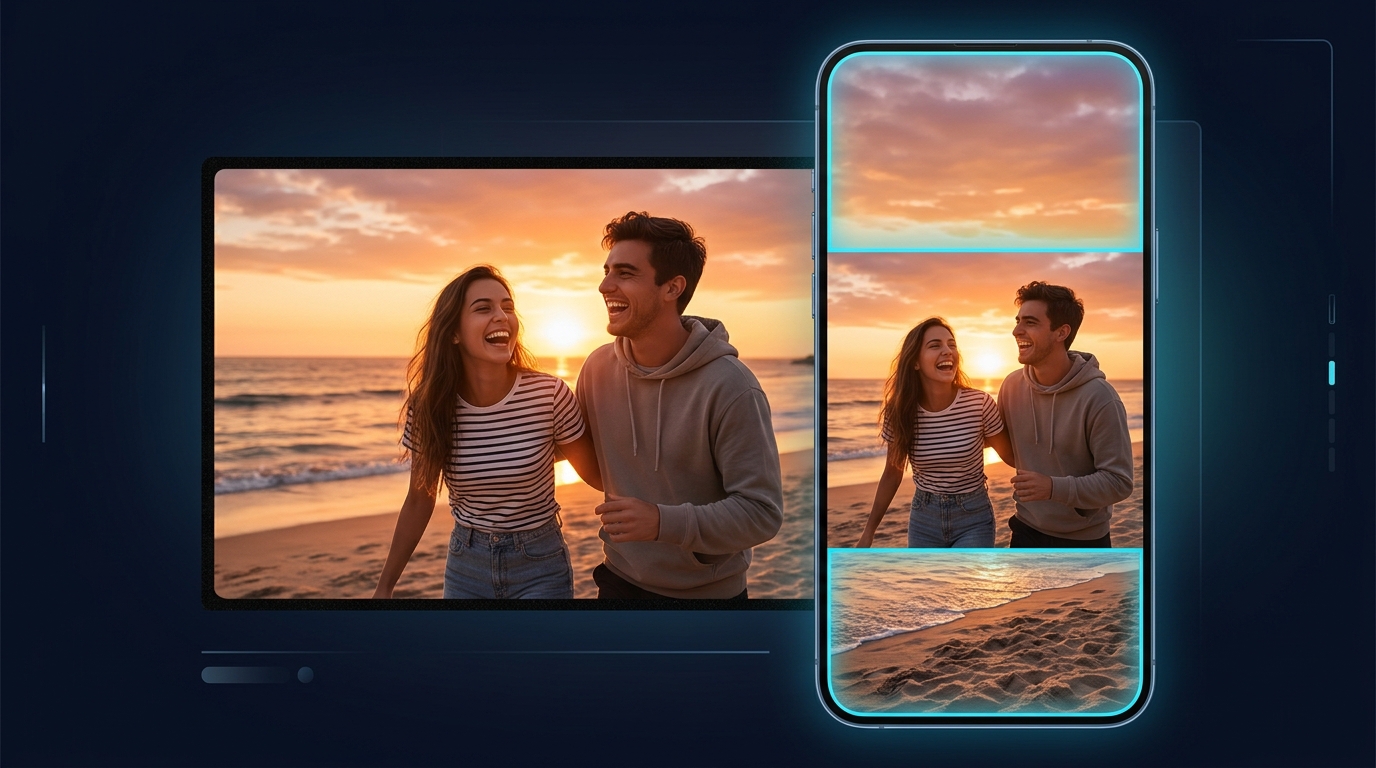
You shot it wide. A YouTube video, a product demo, a podcast, a wedding clip. Now you need it on Reels, TikTok and YouTube Shorts, and every one of them wants a tall 9:16 frame.
The classic fix is a crop: cut a narrow slice out of the middle and hope the action stays inside it. Half the time it does not. Someone walks out of frame, a second speaker disappears, the product is cut in half.
AI reframe works the other way around. Instead of throwing pixels away, it builds the frame you are missing. Ask for 9:16 and the model extends the scene above and below your shot, matching the lighting, the background and the camera movement, so the original action stays whole and the new frame looks like it was filmed that way.
Crop vs AI Reframe
| Crop | AI reframe | |
|---|---|---|
| What happens to the edges | Cut away | Kept, and new image is generated around them |
| Two people in a wide shot | One usually falls out | Both stay in frame |
| Camera moves | Can feel jumpy | The generated area moves with the shot |
| Time to set up | Manual keyframes | Upload and pick a ratio |
Crop still has its place for a simple talking head. For anything with movement, several people, or a product on a table, reframe keeps what matters.
How to Reframe a Video in Kolbo.AI
- Open Video Tools and choose Video to Video, then pick the Ray 3.2 Reframe model. Open the reframe tool.
- Upload your clip. Videos up to 5 minutes are supported.
- Choose the target ratio: 9:16 for Reels, TikTok and Shorts, 1:1 for feeds, 4:5 for Instagram posts, or 16:9 if you are going the other way.
- Optional: describe what should fill the new space ("a clean studio wall", "more of the city street"). Leave it empty and the model continues the scene on its own.
- Generate. The cost is shown on the button before you start.
Why 5 minutes works
Most AI video models can only handle a few seconds per call. Kolbo.AI splits a long clip at its real scene cuts, reframes each part in parallel, and stitches them back together. Because the seams land on cuts that already exist in your edit, you do not see them. Your original audio is put back over the finished video, so dialogue and music stay in sync and untouched.
What Makes a Good Reframe
Clear subject. The model protects whatever the shot is about. A person, a product, a car. Busy frames with no main subject give it less to anchor on.
Simple edges. Sky, walls, floors, streets and nature extend beautifully. Text, logos and detailed crowds at the very edge of frame are the hardest to continue.
Stable footage. Shaky handheld clips work, but a stabilized source gives a cleaner result.
Native resolution. Upload the best version you have. Reframe does not need 4K input, but heavily compressed downloads carry their blockiness into the new area.
Who Uses Reframe
Podcasters and YouTubers
Cut one long episode into several vertical clips without reshooting. A two-person podcast stays a two-person podcast in 9:16.
Brands and agencies
One hero video, every placement. Reframe the master once for each ratio instead of exporting crops by hand for every channel.
Event and wedding videographers
Wide cinematic shots become Stories-ready without losing the bride, the groom or the venue.
E-commerce
Product demos filmed for the website become vertical ads that keep the whole product in view.
After Reframing
- Add captions with Kolbo's transcription and subtitle tools; vertical video is mostly watched without sound.
- Trim to the best moment with the video editor.
- Need it sharper for big screens? Run it through video upscale to 4K.
Frequently Asked Questions
Does reframe change my original footage? No. The middle of the frame is your original video. Only the new area around it is generated.
Will people's faces change? The subject stays as filmed. The model generates the surroundings, not the people already in your shot.
Can I go from vertical to horizontal? Yes. Pick 16:9 and the model extends the sides instead of the top and bottom.
What about music and dialogue? Your original audio is kept and laid back over the reframed video.
Reframe your first clip at app.kolbo.ai.